Customising shapefiles
Mikko Vihtakari (Institute of Marine Research)
22 June, 2026
Source:vignettes/customising-shapefiles.Rmd
customising-shapefiles.RmdWhen the premade maps do not cover
your region at the resolution you need, you can supply your own land,
glacier, and bathymetry layers to basemap(). This article
covers four ways to build them: clipping an existing layer, deriving
land and bathymetry from a raster, reading Norwegian Geonorge depth
data, and vectorising a WCS bathymetry fetch to pair with a premade land
set. The figures below are pre-rendered (see dev/make_customising_shapefiles_vignette_figs.R)
so this article builds without downloading data or re-running heavy
spatial operations.
For where the bathymetry data come from (shipped, ggOceanMapsLargeData, your own raster, or live WCS), see the Bathymetry article. This one is about turning data you already have into ggOceanMaps shapefiles.
The shapefiles argument
basemap() accepts a named list of three sf/stars
objects:
basemap(
  limits = c(-5, 10, 50, 60),
  shapefiles = list(land = my_land, glacier = NULL, bathy = my_bathy),
  bathymetry = TRUE
)- land — an sf polygon layer (required).
-
glacier — an sf polygon layer, or
NULLif you have none. -
bathy — either a
starsraster (continuous/binned raster styles) or an sf polygon layer of depth contours (vector styles), orNULL.
All three must share one projection.
basemap() uses that CRS for the map, so there is no need to
call coord_sf() yourself. shapefile_list()
shows the same structure for the built-in sets and is a good
template.
Clipping an existing layer
clip_shapefile() crops any sf polygon layer to a
bounding box. It is the quickest way to make a regional land layer from
a larger one (e.g. the shipped dd_land):
land <- clip_shapefile(
  dd_land,
  limits = c(-5, 10, 50, 60) # c(xmin, xmax, ymin, ymax), decimal degrees
)

basemap(shapefiles = list(land = land, glacier = NULL, bathy = NULL))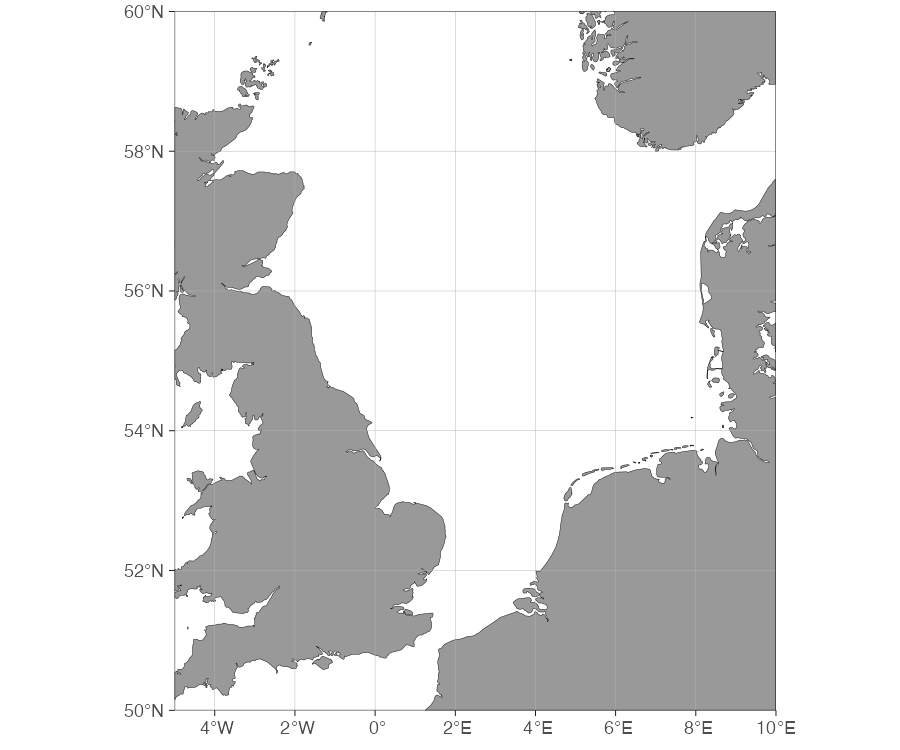
limits are interpreted with proj.limits
(decimal degrees by default). For a projected input layer, pass the
limits in that projection’s units and set proj.limits to
its CRS, or keep limits in degrees and let the function
reproject the clip box. Use return.boundary = TRUE to get
the clipping polygon back for inspection.
Building land + bathymetry from a raster
A single source grid (GEBCO, ETOPO, IBCAO, …) gives you a matched
land and bathymetry pair. The pipeline is
raster_bathymetry() first, then
vector_bathymetry() and/or vector_land(). This
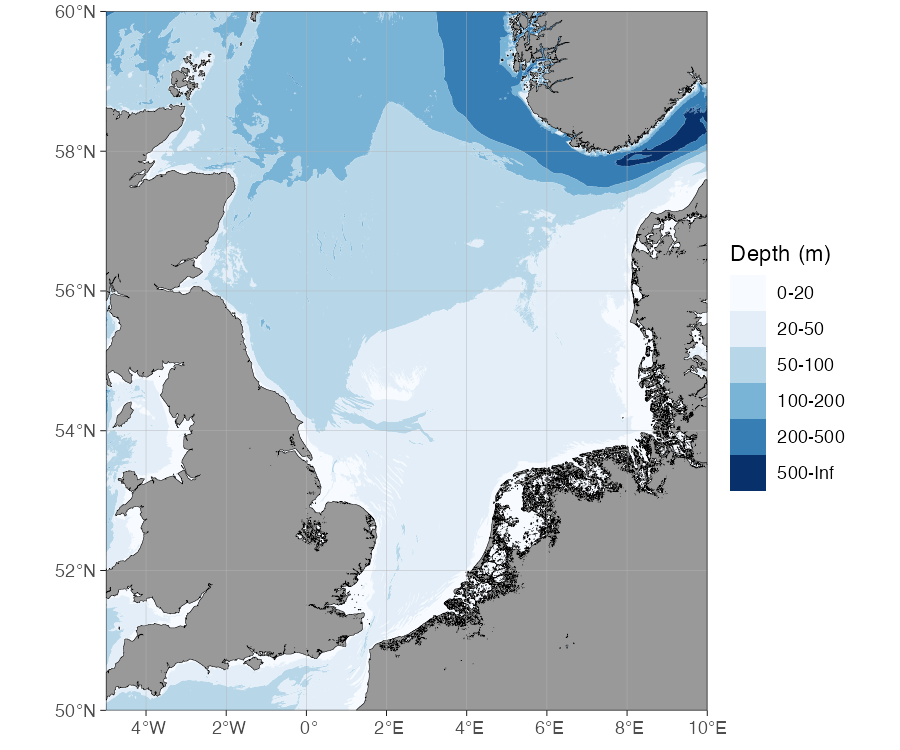
example reuses the North Sea region from the clipping example above,
with depth breaks suited to its mostly-shallow shelf and the deeper
Norwegian Trench along the Norwegian coast:
# 1. Read + crop + sign-flip the grid; bin to depth contours.
rb <- raster_bathymetry(
  bathy = "path/to/your/bathymetry.nc",
  depths = c(20, 50, 100, 200, 500), # contour break points
  boundary = c(-5, 10, 50, 60), # crop early to save memory
  estimate.land = TRUE # keep land cells for vector_land()
)
raster_bathymetry() returns a bathyRaster:
a list with the processed raster (a stars
object) and the depth intervals. Feed that object to the
vectorisers:
# 2a. Depth-contour polygons for the vector bathymetry styles
vb <- vector_bathymetry(rb, drop.crumbs = NULL)

# 2b. Land polygons extracted from the same grid
vl <- vector_land(rb, drop.crumbs = NULL)

# 2c. Normalise the CRS to plain EPSG:4326 (see note below).
vb <- sf::st_transform(vb, 4326)
vl <- sf::st_transform(vl, 4326)

# vector_bathymetry() also polygonizes the "land" class added by
# estimate.land -- drop it, it belongs in vl.
vb <- vb[vb$depth != "land", ]
vb$depth <- droplevels(vb$depth)

# 3. Plug both into basemap(). Vector bathymetry needs an explicit
# bathy.style ("pb" here); bathymetry = TRUE alone assumes a raster.
basemap(
  limits = c(-5, 10, 50, 60),
  shapefiles = list(land = vl, glacier = NULL, bathy = vb),
  bathy.style = "pb"
)
Normalise the CRS (step 2c). GEBCO, ETOPO and IBCAO
NetCDF grids are read with a non-standard “unknown” geographic
CRS — an unnamed datum with latitude/longitude (rather than
longitude/latitude) axis order. basemap() clips and renders
the map in the land layer’s CRS, and that axis-swapped CRS makes the
rectangular clip box slant slightly, leaving a thin uncovered wedge
along the southern map edge. Transforming vb and
vl to plain EPSG:4326 before plotting removes
it. Do this on the vectorised layers, not via proj.out in
raster_bathymetry(): reprojecting the raster there turns it
into a curvilinear grid that vector_bathymetry() cannot
polygonise.
vector_land() takes the same bathyRaster as
vector_bathymetry() and the same cleanup arguments
(drop.crumbs, remove.holes,
smooth). Leave drop.crumbs at
NULL when you need vl and vb to
share a coastline: the two functions apply it independently, so a shared
non-NULL threshold can drop a small island from one layer
without dropping the matching sliver of shallow water from the other,
leaving tiny gaps at the coast. drop.crumbs is still useful
to shrink file size when you don’t need the two layers to line up
exactly — it is in km², so scale it down for small regions; a
city-block-scale area needs something like 0.01, not
10. To keep continuous (unbinned) raster bathymetry instead
of depth-contour polygons, pass depths = NULL to
raster_bathymetry() and use rb$raster directly
as bathy (skipping vector_bathymetry()).
Save the processed layers so you do not re-run the heavy raster step every session:
Reading Geonorge depth data
For Norwegian waters, the Geonorge
depth-area vector shapefiles can be downloaded as .gml and
include a matching land layer in the same file, so both sit at the same
resolution and CRS. geonorge_bathymetry() reads the depth
layer; sf::st_read() with layer = "Landareal"
reads the land:
gb <- geonorge_bathymetry("path/to/Dybdedata.gml")
land <- sf::st_read("path/to/Dybdedata.gml", layer = "Landareal")

# Use the data's own extent and projection.
bb <- sf::st_bbox(gb)
limits <- c(bb["xmin"], bb["xmax"], bb["ymin"], bb["ymax"])

basemap(
  limits = limits,
  shapefiles = list(land = land, glacier = NULL, bathy = gb),
  bathy.style = "pb"
)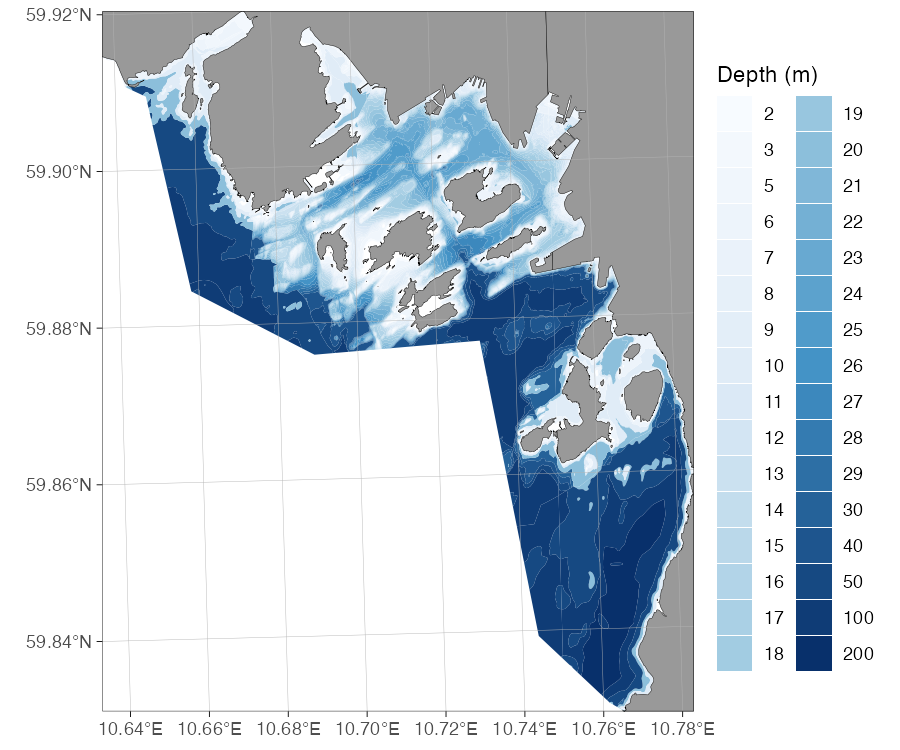
This example uses Oslo municipality’s depth-area tile, a small
dataset showing the harbour, Bygdøy, and the surrounding islands. By
default geonorge_bathymetry() reads the
"dybdeareal" layer; pass layer = if your file
uses a different name, and verbose = TRUE to see the
reading steps.
Pairing a WCS fetch with a premade shapefile set
wcs_bathymetry() fetches
bathymetry on demand from a Web Coverage Service and returns a
continuous bathyRaster, but it always discards land (it
calls raster_bathymetry(ras, depths = NULL) internally).
Since this section is about making new shapefiles rather than
just plotting a raster, the example below vectorises the fetched
bathymetry into depth-contour polygons — the same cut() +
vector_bathymetry() pattern as the raster section above —
and pairs it with the premade "Europe" land set, which is a
better match for EMODnet’s ~115 m resolution than the shipped
dd_land:
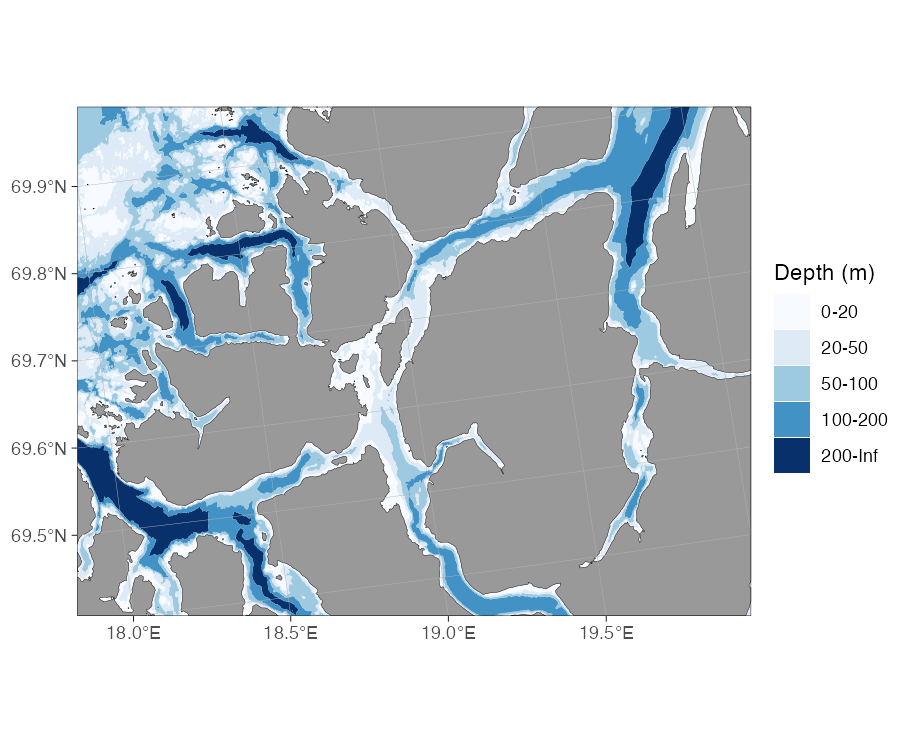
tromso <- c(18, 20, 69.4, 69.9) # area to display
fetch <- c(17.5, 20.5, 69.3, 70) # slightly wider fetch box (see note below)
bathy <- wcs_bathymetry(fetch, source = "emodnet")

# wcs_bathymetry() always returns depths = NULL (continuous), so bin it
# into depth-contour classes by hand before vectorising.
breaks <- c(-Inf, 20, 50, 100, 200, Inf)
labels <- c("0-20", "20-50", "50-100", "100-200", "200-Inf")
rb <- list(raster = cut(bathy$raster, breaks, labels = labels))
class(rb) <- "bathyRaster"
vb <- vector_bathymetry(rb, drop.crumbs = NULL)

# Reproject the bathymetry to the "Europe" land set's CRS (EPSG:3035) and clip
# the land to the bathymetry extent, so both are in the plotted projection.
europe_land <- load_map_data(shapefile_list("Europe"))$land
vb <- sf::st_transform(vb, sf::st_crs(europe_land))
land <- sf::st_crop(sf::st_make_valid(europe_land), sf::st_bbox(vb))

basemap(
  limits = tromso,
  shapefiles = list(land = land, glacier = NULL, bathy = vb),
  bathy.style = "pb"
)
Fetch a little wider than you display. The map is
plotted in the "Europe" land set’s CRS
(EPSG:3035), but a WCS request is a decimal-degree
(EPSG:4326) box. Its straight lat/lon edges slant once
reprojected to 3035, so a fetch box exactly equal to the map
limits leaves uncovered slivers in the projected map’s
corners. Requesting a slightly larger fetch box than the
tromso area you display covers the whole panel. Clipping
the land to st_bbox(vb) keeps it in the same projection as
the bathymetry and the map, so the clipping happens in the plotted CRS
rather than across a reprojection.
load_map_data() is the internal helper
basemap() itself uses to load and, if needed, download a
premade set’s layers — calling it directly here gets just the
"Europe" land polygons without its default bathymetry. For
a quick look at a raw WCS fetch without vectorising, pair
bathy$raster directly with dd_land and use
bathymetry = TRUE instead, as in
wcs_bathymetry()’s own examples.
See also
- Bathymetry — choosing and obtaining the underlying data.
- Premade shapefiles — how the built-in sets were built, as a fuller worked example.
- Cookbook — compact copy-pasteable versions of these recipes.